Victron Energy
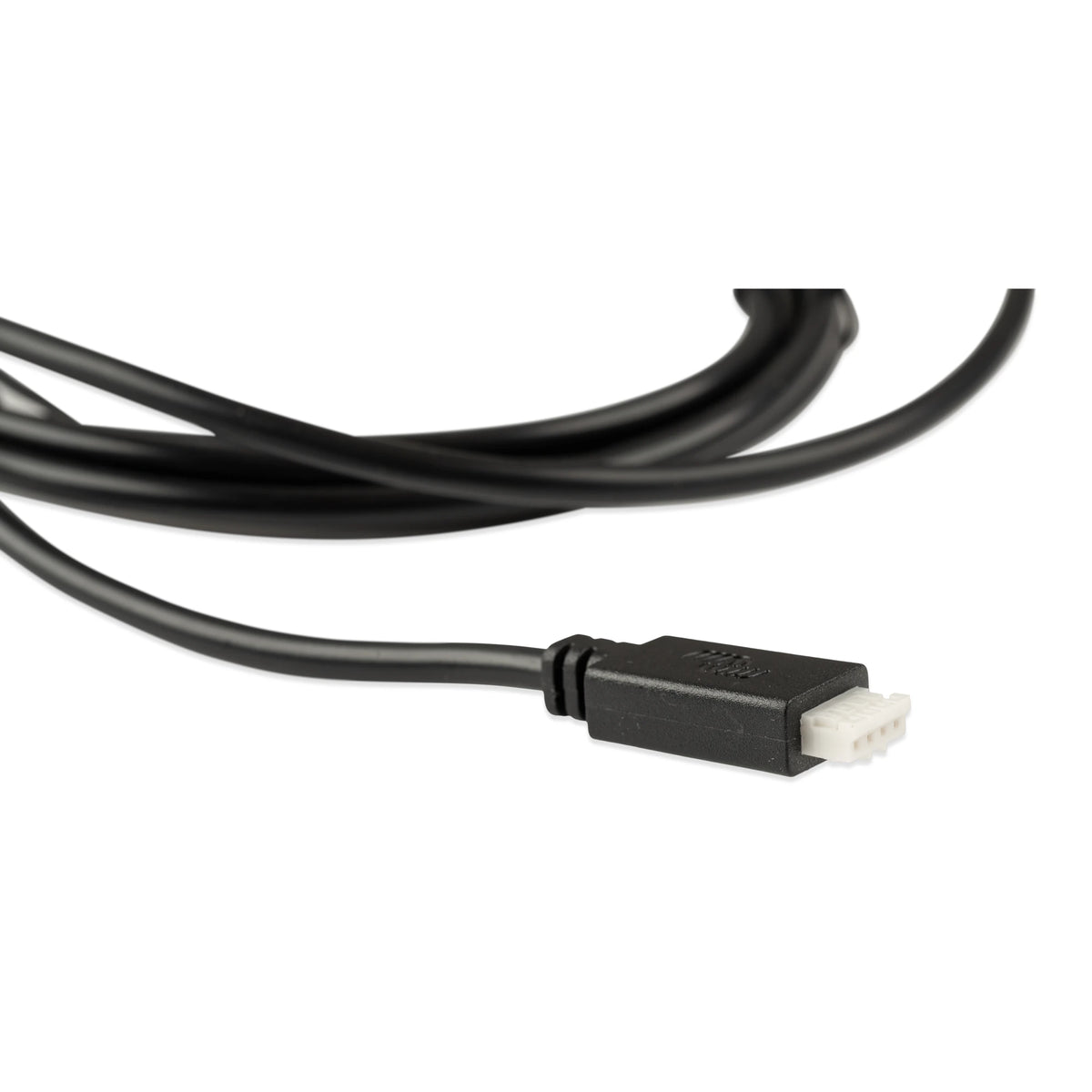
Victron VE.Direct to USB Interface
Victron VE.Direct to USB Interface
Couldn't load pickup availability
Victron VE.Direct to USB Interface – USB-A or USB-C
Connect compatible Victron VE.Direct equipment directly to a computer or mobile device for monitoring, diagnostics, firmware updates and advanced configuration with the free VictronConnect software. Choose the USB-A or USB-C variant to match your computer.
This interface is especially useful for installers working with Victron products that do not include built-in Bluetooth. It provides computer access to supported settings on BlueSolar MPPT charge controllers, Phoenix Inverter VE.Direct models and other compatible equipment.
Use VictronConnect to select custom charging parameters, adjust load-output behaviour, configure inverter shutdown and ECO settings, install firmware updates and review operating data. Available settings depend on the connected product.
Why You’ll Love It
- Connects compatible VE.Direct products to a Windows or macOS computer
- Works with Android devices
- Provides access to advanced product settings through VictronConnect
- Ideal for configuring non-Bluetooth BlueSolar MPPT charge controllers
- Allows adjustment of supported Phoenix Inverter VE.Direct settings
- Supports monitoring, diagnostics and firmware updates
Both variants perform the same basic function. Choose the connection that matches the USB port on your computer.
USB-A: ASS030530010
USB-C: ASS030530030
The USB-C connector does not automatically make every phone or tablet compatible. Confirm operating-system and device support before ordering for mobile use.
A Useful Installer Tool
Many Victron products are ready to operate using their factory settings, but some important adjustments cannot be made from the product itself. Connecting through this interface gives an installer access to the supported configuration options inside VictronConnect.
On compatible BlueSolar MPPT controllers, VictronConnect can provide access to detailed charging parameters, load-output settings, firmware updates and operating information. This is particularly valuable when the controller does not have built-in Bluetooth.
On compatible Phoenix Inverter VE.Direct models, the interface can provide access to settings such as AC output parameters, low-battery behaviour, dynamic cut-off and ECO-mode operation.
VictronConnect is Victron Energy’s free application for configuring, monitoring, updating and diagnosing supported equipment.
Compatible Applications
- BlueSolar MPPT charge controllers equipped with VE.Direct
- Phoenix Inverter models equipped with VE.Direct
- BMV-700 series battery monitors
- SmartShunt battery monitors
- Other supported Victron products equipped with a VE.Direct port
- Adding VE.Direct connections to compatible Victron GX devices through USB
Specifications
| Product Type | VE.Direct to USB interface |
|---|---|
| Available Variants | ASS030530010 – USB-A ASS030530030 – USB-C |
| Victron Connection | VE.Direct |
| Computer Connection | USB-A or USB-C, depending on selected variant |
| Computer Software | VictronConnect |
| Supported Computer Platforms | Windows and macOS |
| Interface Isolation | Galvanically isolated |
| Primary Functions | Configuration, monitoring, diagnostics and firmware updates |
Compatibility and available settings depend on the connected Victron product and its firmware. Always consult the applicable Victron manual before changing configuration settings.
Need a Standard VE.Direct Cable Instead?
This USB interface connects VE.Direct equipment to a computer or compatible USB host. For a direct VE.Direct-to-VE.Direct connection—such as connecting a battery monitor or solar controller to a compatible GX device—use a standard VE.Direct cable.
Frequently Asked Questions
What is the VE.Direct to USB interface used for?
It connects a compatible Victron product with a VE.Direct port to a computer. With VictronConnect installed, you can monitor the product, review diagnostic information, update firmware and adjust supported settings.
Can I use this interface with my phone or tablet?
Yes—with a compatible Android phone or tablet that supports USB OTG (USB host mode). The USB-C version (ASS030530030) connects directly to a compatible USB-C device. The USB-A version (ASS030530010) requires a suitable USB OTG adapter.
Using the free VictronConnect app, installers can monitor equipment, update firmware and adjust supported settings without carrying a laptop. This is especially useful for configuring BlueSolar MPPT controllers without built-in Bluetooth or adjusting advanced settings on compatible Phoenix Inverter VE.Direct models.
iPhone and iPad do not support this wired VE.Direct connection. A USB-C port alone does not guarantee compatibility. Confirm that your Android device supports USB OTG and the current VictronConnect app before ordering.
Can it configure a BlueSolar MPPT charge controller?
Yes. Compatible BlueSolar MPPT controllers can be connected to VictronConnect through the VE.Direct to USB interface. This provides access to supported settings that may not be available directly from the non-Bluetooth controller.
Can it adjust Phoenix Inverter settings?
Yes, when used with a compatible Phoenix Inverter equipped with VE.Direct. Depending on the inverter model, VictronConnect may provide access to output voltage and frequency, low-battery behaviour, ECO-mode parameters, dynamic cut-off and other settings.
What is the difference between the USB-A and USB-C versions?
The computer-side connector is different. ASS030530010 uses USB-A, while ASS030530030 uses USB-C. Select the version that matches the available USB port on your computer.
Is VictronConnect free?
Yes. VictronConnect is available as a free download from Victron Energy for supported platforms.
Is this the same as a standard VE.Direct cable?
No. This product converts VE.Direct to USB for connection to a computer or compatible USB host. A standard VE.Direct cable connects two devices that already have VE.Direct ports.
Can I use this to configure a MultiPlus or Quattro?
No. MultiPlus and Quattro inverter/chargers communicate through VE.Bus and require a compatible MK3-USB interface for direct computer configuration. The VE.Direct to USB interface on this page is not interchangeable with the MK3-USB.
Can Sapphire Energy special-order other Victron products?
Yes. If the Victron product, cable or accessory you need is not listed, contact Sapphire Energy with the product name or Victron part number. We can confirm compatibility, availability and special-order options.
Share