Victron Energy
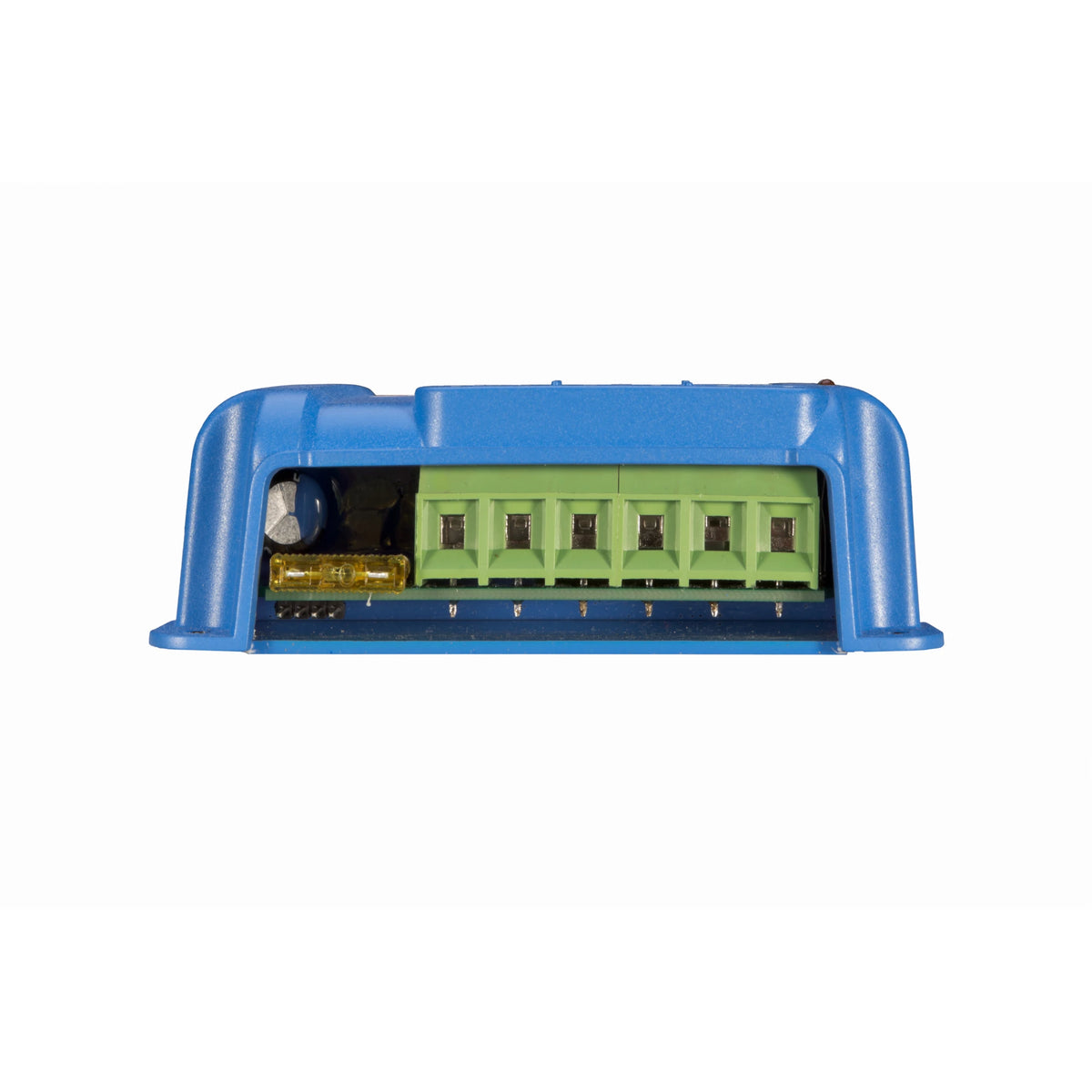
Victron BlueSolar MPPT 75/15 Solar Charge Controller
Victron BlueSolar MPPT 75/15 Solar Charge Controller
Couldn't load pickup availability
Victron BlueSolar MPPT 75/15 Solar Charge Controller – 12/24V, 15A
The Victron BlueSolar MPPT 75/15 offers efficient solar charging at a lower cost than its Bluetooth-equipped SmartSolar counterpart. Designed for 12V and 24V battery systems, it delivers up to 15A of charging current with a 75V maximum solar input.
It is a practical choice for RVs, trailers, cabins and other small off-grid installations where you want automatic charging without regular wireless monitoring. Once configured for your battery, the controller operates automatically. Its VE.Direct port provides access to settings and operating information through compatible accessories.
Why You’ll Love It
- Lower-cost alternative to SmartSolar: Ideal when built-in Bluetooth is not needed.
- Up to 15A charging: Supports nominal solar arrays of 220W at 12V or 440W at 24V.
- Efficient MPPT tracking: Adjusts to changing sunlight to maximize available solar production.
- Automatic load protection: A controlled DC load output helps prevent excessive battery discharge.
- Configurable through VE.Direct: Adjust settings, review charging information and update firmware with compatible accessories.
The BlueSolar 75/15 has no built-in Bluetooth or physical battery-type selector. If the factory charging profile does not suit your battery, a compatible VE.Direct accessory is required to change it. Automatic 12V/24V detection identifies system voltage, not battery chemistry.
Use a Victron VE.Direct to USB interface with the free VictronConnect app on a supported computer or compatible Android device. Select a battery preset or adjust supported settings for your installation.
Configure Once, Charge Automatically
BlueSolar is well suited to installations where charging settings are established during setup and changed only occasionally. After configuration, the controller manages charging automatically; the programming interface does not need to remain connected.
For installers working on multiple systems, one compatible USB interface can be reused to configure individual controllers. This makes BlueSolar a practical option when each installation does not need its own Bluetooth connection.
Sapphire Energy offers controller programming for customers who would rather leave configuration to us. Contact us before ordering with your battery make and model, system voltage and requested settings.
We will review the request, confirm whether the configuration is viable and provide a quote for the programming service. Please arrange programming before your order ships.
Typical Applications
- RV, camper and utility-trailer solar charging
- Small cabin and off-grid battery systems
- DC lighting and other modest off-grid loads
- Installations that do not require regular Bluetooth monitoring
Technical Specifications
| Victron Part Number | SCC010015050R |
|---|---|
| Battery-System Voltage | 12V / 24V |
| Maximum Charging Current | 15A |
| Nominal PV Power | 220W at 12V 440W at 24V |
| Maximum PV Open-Circuit Voltage | 75V |
| Maximum PV Short-Circuit Current | 15A |
| Peak Efficiency | 98% |
| Continuous Load-Output Current | 15A |
| Charge Algorithm | Multi-stage adaptive or user-defined |
| Communication | VE.Direct; no built-in Bluetooth |
| Maximum Terminal Capacity | 6mm² / 10 AWG |
| Operating Temperature |
−30°C to +60°C [−22°F to +140°F] Full rated output up to 40°C [104°F] |
| Protection Rating |
IP43 — electronic components IP22 — connection area |
| Dimensions — L × W × H | 100 × 113 × 40mm [3.94 × 4.45 × 1.57in] |
| Weight | 0.5kg [1.10lb] |
Dimensions are presented as body length × width × thickness; Victron lists these measurements as height × width × depth. PV voltage must exceed battery voltage by 5V to start charging and by 1V thereafter. Solar-array sizing must respect voltage and short-circuit-current limits, including increased open-circuit voltage in cold weather. Specifications are subject to manufacturer updates.
Frequently Asked Questions
How is BlueSolar different from SmartSolar?
BlueSolar provides efficient MPPT charging without built-in Bluetooth. It is a lower-cost option when you do not need regular wireless monitoring and are comfortable configuring the controller through a compatible VE.Direct accessory or using our programming service.
The SmartSolar MPPT 75/15 offers the same 75V input limit and 15A charging rating, with built-in Bluetooth for convenient setup and monitoring. Use the free VictronConnect app to select your battery profile, adjust settings and check solar production without a separate interface.
What are the factory settings, and do I need to change them?
The BlueSolar MPPT 75/15 ships with the following charging settings. Automatic voltage detection does not select battery chemistry, so confirm that the profile suits your battery before use.
| Factory Setting | 12V System | 24V System |
|---|---|---|
| Absorption Voltage* | 14.4V | 28.8V |
| Float Voltage* | 13.8V | 27.6V |
| Maximum Charging Current | 15A | 15A |
| Automatic Equalization | Disabled | Disabled |
| Temperature Compensation | −16mV/°C | −32mV/°C |
*Charging-voltage targets are referenced to 25°C [77°F]. Enabled temperature compensation changes these targets with temperature.
For Sapphire LiFePO₄ batteries: The 14.4V absorption setting matches our recommended charging voltage for 12V models. However, temperature compensation should be disabled for lithium use, and the remaining settings should be checked against your specific battery model. Keep equalization disabled.
For AGM and other lead-acid batteries: The factory profile may be suitable when its settings match the battery manufacturer’s requirements. Keep equalization disabled for AGM, gel and other sealed batteries. Only enable equalization for flooded lead-acid batteries when their manufacturer specifically recommends it.
Need help with configuration? Contact us with your battery details and requested settings. We can confirm feasibility and quote the programming service cost.
Can Sapphire Energy program the controller for me?
Yes. Send us your battery make and model, system voltage, manufacturer-recommended charging settings and any other configuration requests before ordering. A battery datasheet is helpful when available.
We will review the request, confirm whether the configuration is viable and provide a quote for programming. Please arrange this service before your order ships.
Can I configure it using a computer or Android phone?
Yes. Use a Victron VE.Direct to USB interface and the free VictronConnect app on a supported Windows or macOS computer, or a compatible Android device with USB OTG support. Choose the USB-A or USB-C interface to suit your device.
This provides access to battery presets, supported charging and load-output settings, operating information and firmware updates. The interface can be disconnected after setup. iPhone and iPad do not support this wired VE.Direct connection.
Can it charge LiFePO₄ batteries?
Yes, when configured for the battery manufacturer’s requirements. Confirm charging voltages, disable temperature compensation and keep equalization disabled. The battery must have suitable BMS protection, including protection against charging below its permitted temperature.
What can I connect to the load terminals?
The load output supports suitable DC loads up to its 15A continuous rating and can disconnect them when battery voltage becomes too low. BatteryLife can help manage discharge when solar production is insufficient.
Inverters and other high-inrush loads should normally connect directly to the battery through correctly sized wiring and protection, rather than drawing power through the controller’s load terminals.
Can I connect it to a Victron GX monitoring device?
Yes. Use a standard VE.Direct cable to connect the controller to an available VE.Direct port on a compatible GX device. This is different from the VE.Direct to USB interface used for computer configuration.
Can Sapphire Energy special-order Victron products that are not listed?
Yes. Contact us with the Victron product name or part number you need. We can confirm suitability, availability and special-order options.
Share