Victron Energy
Victron VE.Direct Bluetooth Smart Dongle
Victron VE.Direct Bluetooth Smart Dongle
Couldn't load pickup availability
Add Bluetooth to VE.Direct Equipment
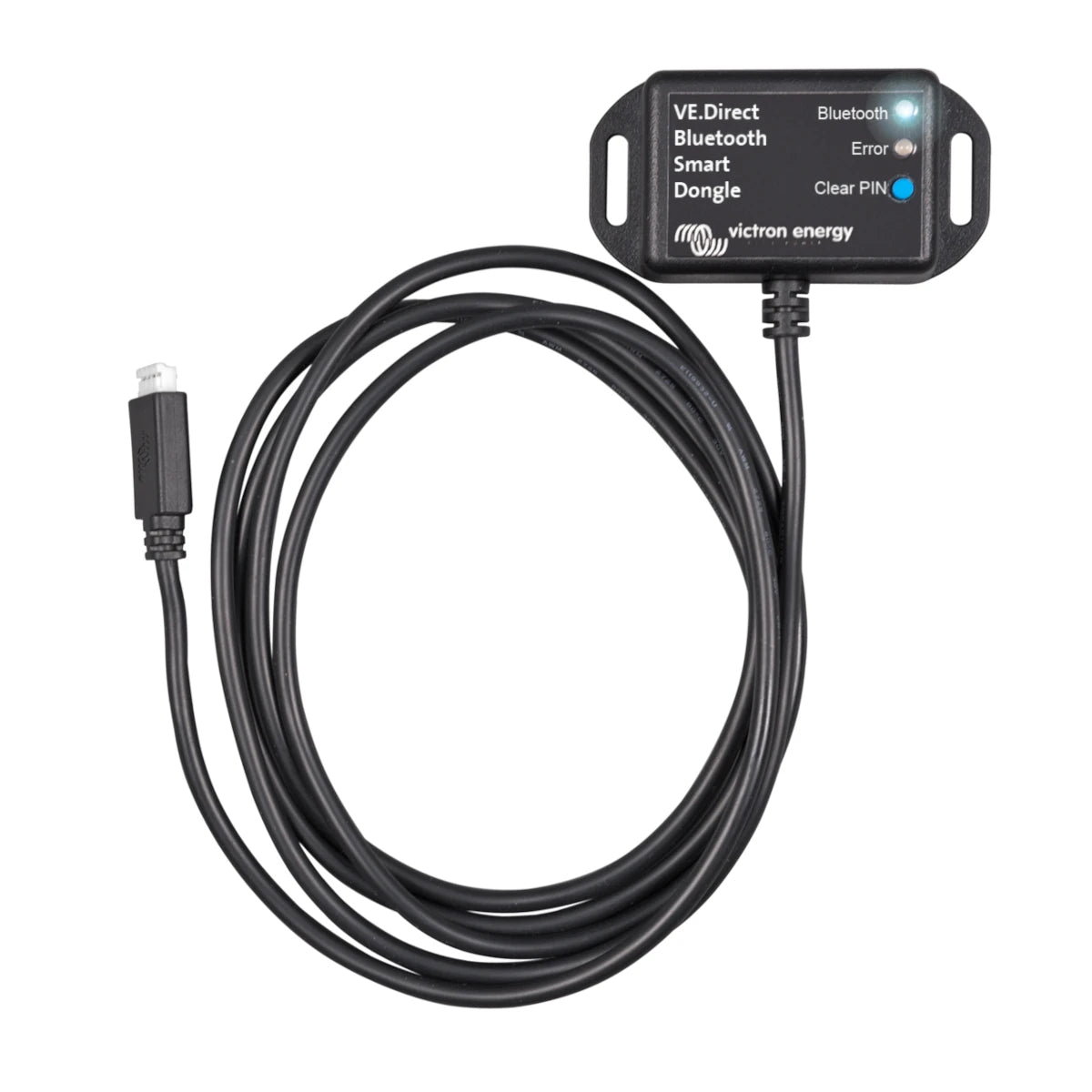
The Victron VE.Direct Bluetooth Smart Dongle adds wireless VictronConnect access to compatible Victron equipment equipped with a VE.Direct port.
Use your iPhone, iPad, Android device or macOS computer to monitor operating information, adjust supported settings and install firmware updates without making a wired USB connection.
The dongle receives power directly from the connected Victron product through its VE.Direct connection. The attached 1.5m cable allows the dongle to be positioned for convenient access and improved Bluetooth reception.
Why You’ll Love It
- Adds Bluetooth access to compatible VE.Direct equipment
- Works with the free VictronConnect app
- Supports monitoring, configuration and firmware updates
- Compatible with iOS, Android and macOS
- Supports Instant Readout and VE.Smart Networking
- Includes an attached 1.5m VE.Direct cable
Common Applications
- Adding Bluetooth to BlueSolar MPPT charge controllers
- Monitoring and configuring Phoenix VE.Direct inverters
- Wireless access to BMV-700 and BMV-702 battery monitors
- Improving Bluetooth reception from a compatible SmartShunt
- Adding VE.Smart Networking support to compatible equipment
- Local diagnostics and firmware updates through VictronConnect
VictronConnect Monitoring and Setup
Once connected, the attached Victron product appears in the VictronConnect device list. Available information and settings depend on the connected equipment.
Compatible products may provide access to operating status, battery voltage, solar production, inverter load, alarms, charging settings, ECO-mode parameters and other device-specific information.
This dongle is designed for compatible Victron products equipped with a VE.Direct port. It cannot be connected to a Cerbo GX, other GX device or GlobalLink device.
Instant Readout
With supported equipment and dongle firmware version 2.41 or later, Instant Readout can display key operating information directly in the VictronConnect device list without opening a full Bluetooth connection.
Instant Readout can also show visible warnings, alarms and errors for faster at-a-glance system checks.
VE.Smart Networking
The current ASS030536011 version supports VE.Smart Networking, allowing compatible Victron equipment to participate in a wireless network and receive shared battery-voltage or temperature information.
Available VE.Smart functions depend on the connected products. Synchronized charging, stored trends, Bluetooth GATT service and the SmartShunt “Keep SOC” option are not supported through this dongle.
Product Specifications
| Specification | Value |
|---|---|
| Manufacturer | Victron Energy |
| Product | VE.Direct Bluetooth Smart Dongle |
| Victron Part Number | ASS030536011 |
| Equipment Connection | VE.Direct |
| Wireless Connection | Bluetooth |
| Compatible Application | VictronConnect |
| Supported Platforms | iOS, Android and macOS |
| Windows Bluetooth Support | No |
| VE.Smart Networking | Yes, with supported equipment |
| Instant Readout | Yes, with supported equipment and firmware |
| VE.Direct Cable Length | 1.5m, attached |
| External Power Required | No; powered by the connected VE.Direct product |
| Current Draw — Not Connected | 1mA |
| Current Draw — Bluetooth Connected | 2.5mA |
| Status Indicators | Bluetooth and error LEDs |
| PIN Reset | Dedicated clear-PIN button |
| Warranty | 5-Year Victron Limited Warranty |
Compatibility and available VictronConnect functions depend on the connected product and its firmware. Specifications may change without notice. Confirm that your equipment has a compatible VE.Direct port before ordering.
Frequently Asked Questions
What does the VE.Direct Bluetooth Smart Dongle do?
It adds Bluetooth communication to compatible Victron equipment equipped with a VE.Direct port. This allows the connected product to be monitored and configured through VictronConnect on a supported phone, tablet or computer.
Which products can I use it with?
It works with almost all Victron products equipped with a VE.Direct port. Common examples include BlueSolar MPPT charge controllers, Phoenix VE.Direct inverters and BMV-700-series battery monitors.
Available monitoring and configuration functions depend on the connected product. Check its manual or contact us with the Victron model number if compatibility is uncertain.
Does the dongle require a separate power supply?
No. It receives power directly from the connected Victron product through the VE.Direct connection. The connected product must be powered for the dongle to operate.
Does it work with Windows computers?
No. Windows does not support the Bluetooth connection used by this dongle. The dongle supports VictronConnect on iOS, Android and macOS.
For a Windows computer, use a Victron VE.Direct-to-USB interface instead.
Can I connect it to a Cerbo GX?
No. The VE.Direct Bluetooth Smart Dongle cannot be connected to GX devices or GlobalLink devices.
To connect compatible VE.Direct equipment to a Cerbo GX, use a standard VE.Direct cable instead.
Can the attached cable be extended?
No. Victron specifies that the attached 1.5m VE.Direct cable cannot be extended. Position the dongle within the available cable length while keeping it accessible and away from equipment that may obstruct the Bluetooth signal.
Can I use it to improve SmartShunt Bluetooth range?
Yes. Connecting the dongle to a compatible SmartShunt can allow the Bluetooth antenna to be positioned farther away from the shunt, heavy battery cables or a metal enclosure.
When using the dongle for this purpose, disable the SmartShunt’s internal Bluetooth connection. Stored trends, Bluetooth GATT service and the “Keep SOC” option are not supported through the dongle.
What is the difference between this and a VE.Direct-to-USB interface?
This dongle provides wireless Bluetooth access for compatible iOS, Android and macOS devices. A VE.Direct-to-USB interface provides a wired connection and is the appropriate choice for Windows computers.
Can Sapphire Energy order other Victron products?
Yes. Sapphire Energy can special-order many Victron products, accessories and replacement parts that are not currently listed on our website.
Contact us with the Victron product name or part number. We can confirm compatibility, pricing, availability and the estimated lead time before you order.
Share