Victron Energy
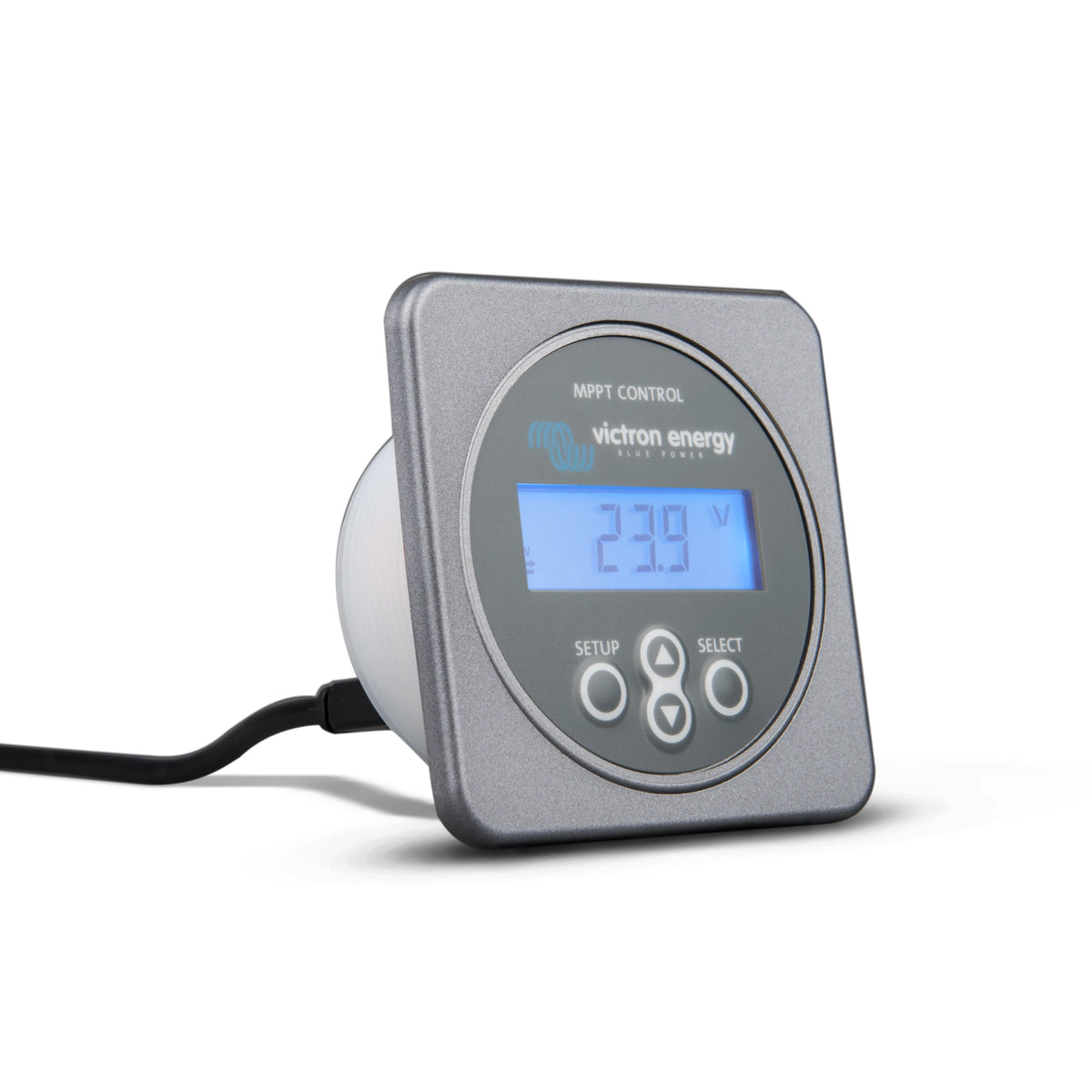
Victron MPPT Control Display
Victron MPPT Control Display
Couldn't load pickup availability
Victron MPPT Control Display
The Victron MPPT Control gives you a permanent, easy-to-read display for compatible Victron SmartSolar and BlueSolar MPPT charge controllers. View live solar production, battery charging information and historical performance without reaching for your phone.
The display also provides direct access to important charger settings, making it especially useful in RVs, boats, cabins and equipment panels where a dedicated display is preferred.
Why You’ll Love It
- Live solar information including PV power, voltage, current and daily yield.
- Battery charging at a glance with battery voltage, charge current and charging stage.
- Historical performance including 30-day and cumulative solar data.
- Configure your MPPT directly from the display without requiring a phone or computer.
- Clean panel installation using the familiar Victron BMV-style round housing.
A Permanent Display for Your Solar Controller
Bluetooth monitoring is convenient, but sometimes a permanently installed display is the better solution. The MPPT Control keeps essential charging information visible from your electrical panel, control cabinet or navigation area.
Its live-status menu can show solar-panel power, PV voltage and current, battery voltage, charging current and the current charge stage. When supported by the connected controller, it can also display load-output current and status.
A single VE.Direct cable carries both power and data between the display and a compatible Victron BlueSolar or SmartSolar MPPT charge controller. No separate power connection is normally required. VE.Direct cable sold separately.
Review Solar History
The MPPT Control provides access to both recent and long-term operating history stored in the connected solar controller. Review the previous 30 days of solar yield along with useful cumulative information such as total yield, maximum PV voltage, minimum and maximum battery voltage, and recent errors.
This makes it easier to confirm system performance, compare daily production and investigate charging problems without connecting a separate device.
Configure the Connected MPPT
In addition to monitoring, the MPPT Control can be used to adjust compatible solar-charger settings. Depending on the connected controller and firmware, available settings may include battery type, absorption voltage, float voltage, equalization settings, load-output behaviour and other operating parameters.
A VE.Direct cable is required to connect the MPPT Control to your solar charge controller. The communication cable is not included with the display and must be purchased separately.
Choose a cable length that reaches comfortably between the display and controller. VE.Direct cable runs must not exceed 10 metres.
The MPPT Control uses Victron’s familiar BMV-style panel housing and is designed to mount through a panel. A compatible Victron wall-mount enclosure can be used when flush mounting is not practical.
Applications
- RV and camper solar systems
- Marine and boat electrical panels
- Off-grid cabins and tiny homes
- Service vehicles and mobile power systems
- Equipment cabinets and control panels
- Systems using BlueSolar controllers without built-in Bluetooth
Features
- Dedicated display for compatible Victron MPPT solar chargers
- Live PV power, voltage, current and yield information
- Battery voltage, charging current and charge-stage display
- Load-output information when supported by the controller
- 30-day solar production history
- Cumulative controller history and recent error information
- Access to compatible MPPT configuration settings
- Low-power LCD with adjustable backlight
- BMV-style flush-mount housing
- Fused auxiliary power cable included for legacy applications
Specifications
| Manufacturer Part Number | SCC900500000 |
|---|---|
| Product Type | MPPT solar charger display and control panel |
| Communication | VE.Direct |
| VE.Direct Supply Voltage | 5V DC |
| Auxiliary Supply Range | 6.5–95V DC using the supplied fused power cable |
| Power Consumption | Less than 0.05W with the backlight off |
| Mounting Type | Flush mount |
| Overall Dimensions (L × W × H) | 69 × 69 × 31mm (2.7 × 2.7 × 1.2in) |
| Front Diameter | 63mm (2.5in) |
| Body Diameter | 52mm (2.0in) |
| Power Cable Length | 1.5m (4.9ft) |
| Power Cable Fuse | 100mA |
| Operating Temperature | -20°C to +50°C (0°F to +120°F) |
| Weight | 50g (1.8oz) |
| Included | MPPT Control display Fused auxiliary power cable |
| Not Included | VE.Direct communication cable Optional wall-mount enclosure |
| Warranty | 5 years — Victron Energy standard warranty |
Specifications are provided for reference and may change without notice. Always confirm compatibility, available settings and installation requirements using the latest Victron Energy documentation.
Frequently Asked Questions
What information does the MPPT Control display?
It can display live information such as PV power, PV voltage and current, battery voltage, charge current, charging stage and daily solar yield. It also provides access to 30-day and cumulative history stored by the connected solar controller.
Can I change my solar-controller settings from the display?
Yes. The MPPT Control can be used to view and adjust supported settings on the connected Victron solar charger, including battery and charging parameters. The exact settings available depend on the controller model and firmware.
Is a VE.Direct cable included?
No. A VE.Direct cable is required and sold separately. Available cable lengths make it easy to position the display where it is convenient, but the total VE.Direct cable length must not exceed 10 metres.
Does it work with both SmartSolar and BlueSolar controllers?
Yes. It is compatible with Victron SmartSolar and BlueSolar MPPT charge controllers equipped with a VE.Direct port. It is not compatible with the discontinued BlueSolar MPPT 70/15.
Does the MPPT Control need a separate power connection?
Normally, no. Current compatible MPPT controllers power the display through the VE.Direct cable. The included fused power cable is intended for certain early, discontinued controllers that shut down when solar power is unavailable.
Can it monitor more than one solar controller?
No. Each MPPT Control connects directly to one solar charger through its VE.Direct port. Multiple controllers require separate displays or a suitable Victron GX monitoring system.
Can I install it without cutting a panel?
Yes. The display is designed for flush mounting, but an optional Victron wall-mount enclosure can provide a clean surface-mounted installation when cutting into the panel is not practical.
Can you special order Victron products that aren’t listed?
Yes! We can special order many Victron Energy products that are not currently listed on our website. Contact us with the product name or part number, and we’ll confirm availability, pricing and estimated lead time.
Share